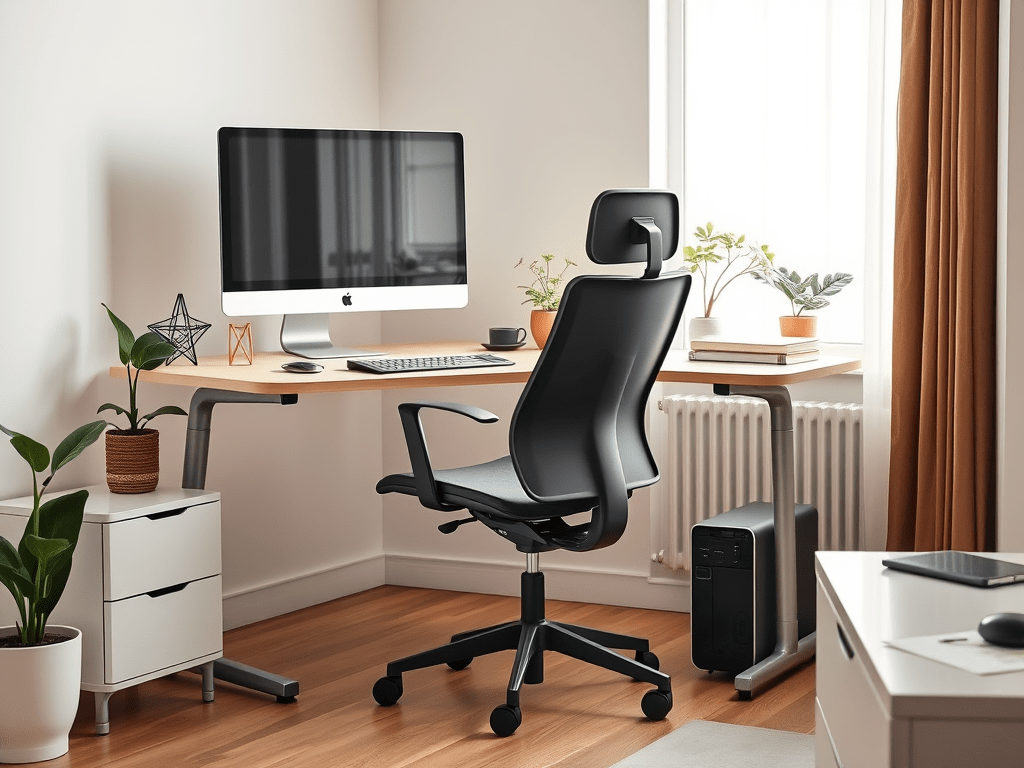
Step-by-Step Guide for 2025
Working from home should not mean constant back pain, neck strain, or fatigue.
How to set up an ergonomic home office, home office ergonomics A properly set up ergonomic home office can dramatically improve comfort, productivity, and long-term health — even if you are working with limited space or a tight budget.
This step-by-step guide will walk you through exactly how to set up an ergonomic home office, from desk height to monitor placement, with practical tips you can apply today.
Step 1: Start With the Right Desk Height (Ergonomic Desk Setup)
Your desk is the foundation of your entire setup. If it is too high or too low, everything else suffers.
Ideal Desk Height
- Your elbows should be at roughly 90 degrees when typing
- Forearms parallel to the floor
- Shoulders relaxed (not hunched)
Standing Desk vs Sitting Desk
- Sitting desks work well if paired with a good ergonomic chair
- Standing desks or desk converters allow posture changes throughout the day and reduce prolonged sitting
Tip: If your desk height is not adjustable, raise or lower your chair and use a footrest if needed.
Step 2: Choose an Ergonomic Office Chair for Home Office Work
Your chair matters more than most people realize. A poor chair can undo even the best desk setup.
What to Look For in an Ergonomic Chair
- Adjustable seat height
- Lumbar (lower back) support
- Adjustable armrests
- Breathable material for long sessions
Proper Chair Setup
- Feet flat on the floor
- Knees at or slightly below hip level
- Lower back supported
- Backrest reclined slightly (100–110 degrees)
A well-adjusted chair reduces pressure on your spine and keeps you comfortable during long workdays.
Recommended ergonomic chairs:
- [PatioMage Ergonomic Office Chair – Check price on Amazon]
- [CLATINA Ergonomic High Swivel Executive Chair – View details]
- [SIHOO Adjustable Ergonomic Office Chair – See current price]
Step 3: Position Your Monitor at the Correct Height (Ergonomic Monitor Setup)
Improper monitor placement is one of the biggest causes of neck and eye strain.
Ideal Monitor Position
- Top of the screen at or slightly below eye level
- Monitor about 20–30 inches from your eyes
- Screen tilted slightly upward
Why Monitor Arms Help
Monitor arms allow you to:
- Free up desk space
- Adjust height and distance precisely
- Improve posture instantly
This is especially useful for small desks or dual-monitor setups.
Recommended monitor arms:
- [HUANUO Single Monitor Arm – Check price]
- [Ergotron – Upgraded LX Pro Premium Monitor Arm– View on Amazon]
- [Dual Monitor Arm for Small Desks – See options]
Step 4: Keyboard and Mouse Placement for Proper Ergonomics
Your keyboard and mouse should work with your posture, not against it.
Correct Placement
- Keyboard directly in front of you
- Mouse close to the keyboard (avoid reaching)
- Wrists straight, not bent
Helpful Accessories
- Low-profile keyboard
- Ergonomic mouse
- Wrist rest (used lightly, not for pressure)
Keeping your hands neutral reduces strain on wrists and forearms.
Recommended keyboard & mouse options:
- [Logitech ERGO K860 Wireless Ergonomic Keyboard – Check price]
- [Logitech Lift Vertical Ergonomic Mouse – View details]
- [Macally Bluetooth Ergonomic Keyboard – See options]
Step 5: Improve Lighting and Reduce Eye Strain in Your Home Office
Lighting is often overlooked but plays a huge role in comfort.
Best Lighting Setup
- Natural light from the side (not directly behind or in front)
- Desk lamp with adjustable brightness
- Warm or neutral light temperature
Screen Tips
- Increase text size
- Reduce screen glare
- Use blue light filters if working late
Good lighting helps prevent headaches and eye fatigue.
Step 6: Add Small Ergonomic Accessories for Home Office Comfort
Small upgrades can make a big difference.
Useful Add-ons
- Footrest for shorter users
- Desk mat for wrist comfort
- Cable management tray to reduce clutter
- Laptop stand if using a laptop full-time
These accessories improve comfort without requiring a full office overhaul.
Recommended ergonomic accessories:
- [Computer Foot Rest Under Desk – Check price]
- [Wrist Rest Pad– View details]
- [Univivi No Drill Under Desk Cable Management – See options]
Step 7: Adjust and Recheck Your Setup
Your body changes throughout the day — your setup should adapt.
- Take short breaks every 30–60 minutes
- Alternate between sitting and standing if possible
- Recheck posture weekly
Ergonomics is not a one-time fix — it is an ongoing habit.
Ergonomic Home Office Setup: Final Thoughts
Setting up an ergonomic home office does not require expensive furniture or a large space. By adjusting desk height, chair support, monitor placement, and lighting, you can dramatically improve comfort and productivity.
If you are upgrading your home office, focus on posture first, then add accessories that support your workflow.
A comfortable workspace is an investment in your health — and it pays off every single workday.
Related guides:
- Best Monitor Arms for Small Desks (2025)
- Best Standing Desk Converters Under $200
- Best Ergonomic Office Chairs Under $300
 SmartDeskComfort
Leave a comment